Frequently Asked Questions
Quick, honest answers about downloading, printing and editing our free calendars, plus how we check holiday dates. Click a question to see the answer.
Getting Started
Are the calendars on this site really free?
Yes. Every calendar, planner and holiday list is free to download and print. There is no trial, no payment and no hidden upgrade.
Do I need to sign up or make an account?
No. Open any calendar and click Download. We never ask for your name or email to get a file.
What kinds of calendars can I get here?
You can get monthly calendars, yearly calendars, a 3-month calendar, a weekly planner, a custom calendar maker and US holiday lists. Monthly and yearly calendars go up to 2035.
Can I print them for my school, office or church?
Yes. You can print as many copies as you need for home, class, office or group use. Please do not sell our files or upload them to another website as your own. If you want to use them in a product, ask us first.
Can I use the site on my phone?
Yes. The pages and download buttons work in phone browsers like Chrome and Safari. On an iPhone, downloaded files go to the Files app, in the Downloads folder. On Android, look in your Downloads folder.
Will there be a watermark on my calendar?
No. Monthly and yearly calendars print clean. The weekly planner, 3-month calendar and custom calendar maker add our small web address at the bottom, and it never covers any dates.
Downloading
How do I download a calendar?
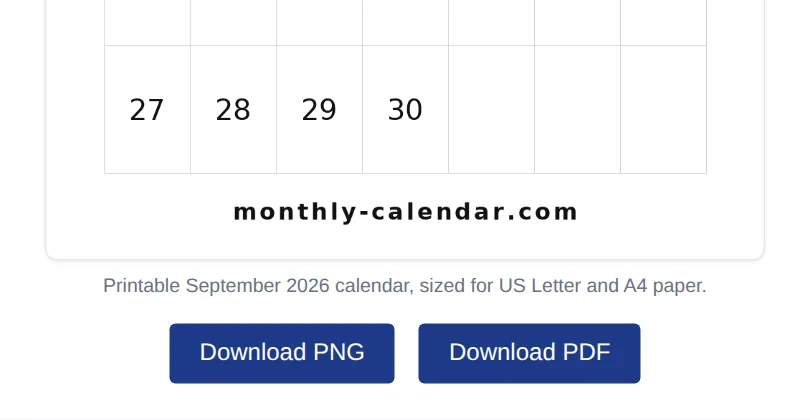
- Open the month or year you want, for example September 2026.
- Scroll to the buttons under the calendar.
- Click Download PDF or Download PNG.
- Wait a few seconds. The file saves to your Downloads folder.
Should I choose PDF or PNG?
Pick PDF if you want to print. It keeps the page size and prints sharp. Pick PNG if you want an image to share, use as a phone or desktop wallpaper, or add to a slide or document.
Where does the file go after I download it?
It goes to your browser's Downloads folder. On a computer, press Ctrl + J (Windows) or Option + Command + L (Mac) to see recent downloads. The file name includes the month and year, like September-2026-calendar.pdf.
I click Download and nothing happens. What should I do?
The file is made inside your browser, which needs a small script to load first. Try these in order: wait five seconds and click again, refresh the page, pause your ad blocker for this site, or try another browser. If it still fails, tell us your device and browser, and choose "Problem downloading or printing".
Can I download the whole year in one file?
Yes, as one page. The yearly calendar shows all 12 months on a single sheet. If you want one month per page, download each month from its own page.
Do I need Adobe Reader to open the PDF?
No. Any web browser can open and print a PDF. Adobe Reader, Preview on Mac and most phone file apps work too.
Printing
How do I print the calendar so it fills the page?
- Open the PDF and press Ctrl + P (Windows) or Command + P (Mac).
- Set the layout to Landscape.
- Choose "Fit to page" or "Fit to printable area".
- Check the preview, then print.
Which paper size should I use?
Use US Letter in the US and A4 in most other countries. Our monthly calendars print well on both. Need something else? The custom calendar maker also does Legal, A3 and Tabloid.
Why are the edges of my calendar cut off?
Most home printers cannot print right to the edge. Turn off borderless printing and choose "Fit to page" or "Shrink to printable area". This leaves a small white border so nothing gets cut. Our calendar printing guide covers every setting.
Can I print in black and white to save ink?
Yes. Choose Black and White or Grayscale in your print settings. For even less ink, make your calendar in the custom calendar maker with the black theme and light grid lines.
How do I make a big wall calendar?
Open the custom calendar maker, choose A3 or Tabloid and Landscape, then download the PDF. A print shop can print it on large, thick paper if your printer only takes Letter or A4.
What paper works best for a printed calendar?
Normal printer paper is fine for a desk or fridge. For a wall calendar you write on every day, thicker paper or light card stock holds up better and ink does not show through.
Can I print without downloading first?
The weekly planner has its own Print button. For monthly and yearly calendars, download the PDF first. It prints cleaner than printing the web page.
Editing and Customizing
Can I type my own notes on the calendar before printing?
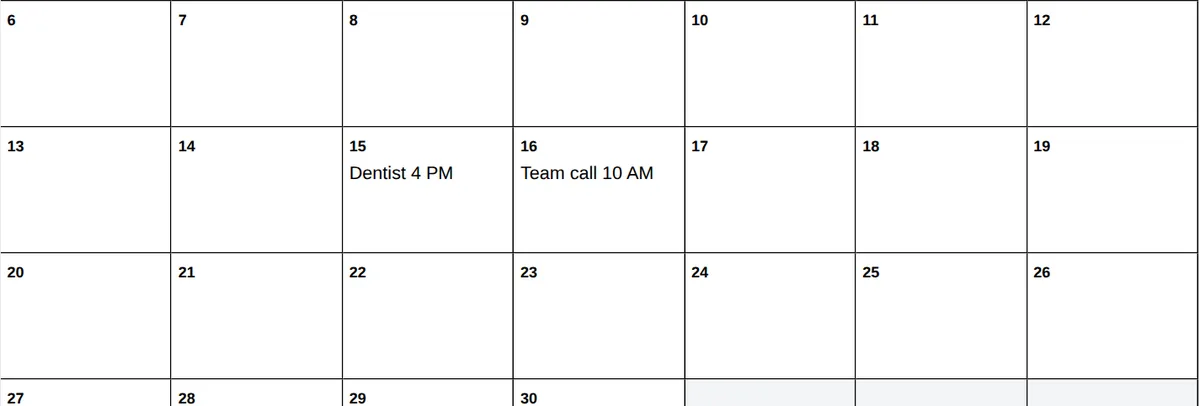
Yes, on the monthly calendar pages. Click inside any day box and type, for example "Dentist 4 PM". Your notes show up in the PDF or PNG you download.
Will my notes still be there if I come back later?
Yes, on the same device and browser. Notes are saved in your browser only, not on our server. If you clear your browsing data or use another device, they will not be there, so download a copy when you are done.
Can I get a calendar that starts on Monday?
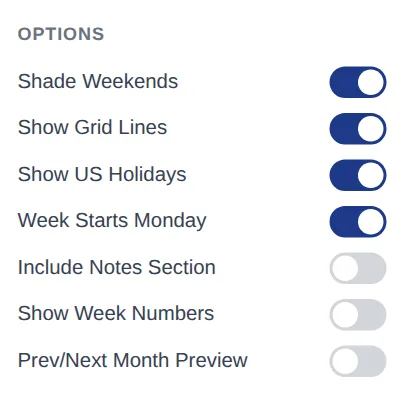
Yes. Monthly pages start on Sunday, which is the usual US style. For a Monday start, use the custom calendar maker and switch on "Week Starts Monday". The weekly planner has the same option.
Can I change the colors or font?
Yes, in the custom calendar maker. You can choose from 8 color themes, 3 font styles, 3 grid colors and big or small day boxes. The preview updates as you click.
Can I add my own title, like my name or class?
Yes. The custom calendar maker has a "Custom Title" box. Type up to 60 characters, such as "Room 12 Class Calendar" or "Smith Family 2026".
Can I show week numbers on my calendar?
Yes. Switch on "Show Week Numbers" in the custom calendar maker. Each monthly page also lists the week numbers for that month in the text below the calendar. New to week numbers? Read how week numbers work.
Can I add a photo or my logo?
Not on our site yet. A simple way around it: download the PNG, then add your photo or logo in a free design app before you print.
Holidays and Dates
Which holidays are shown on the calendars?
Monthly calendars mark US federal holidays, like Memorial Day and Thanksgiving. Our 2026 holiday list goes further, with state holidays and common observances too.
Do you have holidays for the UK, Canada, Australia or India?
Yes, on the yearly calendars. Open any yearly calendar and pick the country from the list: United States, Canada, United Kingdom, Australia or India.
What is the difference between a federal holiday and an observance?
A federal holiday is a day off for US federal workers, and most banks and post offices close. An observance, like Valentine's Day or Mother's Day, is a day people mark, but offices and schools stay open.
What happens when a holiday falls on a weekend?
For US federal holidays, a Saturday holiday is usually observed on the Friday before, and a Sunday holiday on the Monday after. For example, July 4, 2027 is a Sunday, so the day off is Monday, July 5. Our holiday lists show these as "substitute" days. See US federal holidays explained for more.
Why does another website show a different date for a holiday?
There are three common reasons. Some holidays only apply in certain states. Some are moved to a weekday when they fall on a weekend. And religious holidays that follow the moon can shift by a day depending on the moon sighting.
How do you check the holiday dates?
We check public holidays against official government sources first, such as the US Office of Personnel Management for federal holidays. Then we compare them with other calendars and a person reviews them before they go live. See our full process.
I think a date is wrong. How do I tell you?
Please use our contact form and choose "Report a wrong date or holiday". Add the page link and the correct date. If you have an official source, include it too. We review every report.
Can I download the list of holidays?
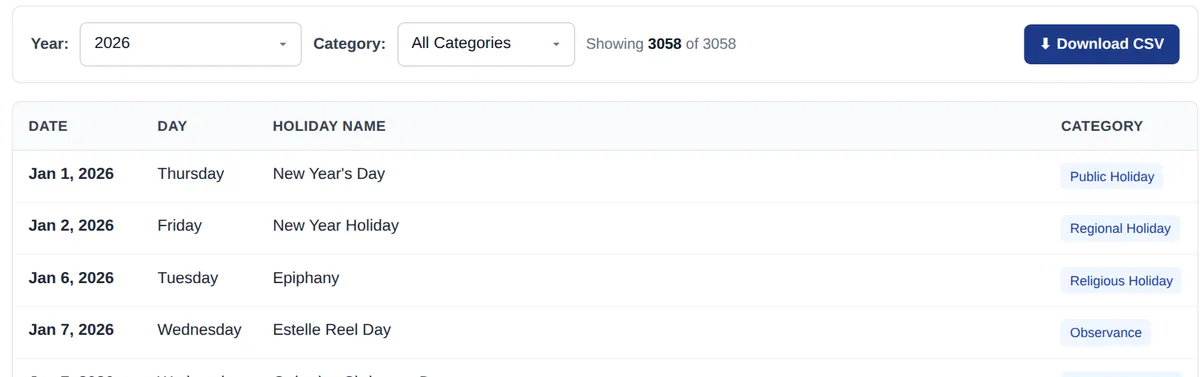
Yes. Go to the holidays page, pick a year and a category if you like, then click Download CSV. The file opens in Excel, Google Sheets or Numbers.
How far ahead do your calendars go?
Monthly and yearly calendars go up to 2035. Holiday lists cover 2026 to 2035. Dates far in the future can still change, so check again closer to the time for anything important.
Do the calendars show when the clocks change?
Yes. The March and November pages explain the US Daylight Saving Time change for that year. In the US, clocks go forward on the second Sunday in March and back on the first Sunday in November.
Planners and Other Tools
Which calendar should I pick: monthly, 3-month or yearly?
Pick monthly if you want space to write every day. Pick 3-month to plan a quarter, a school term or a project. Pick yearly for a quick look at the whole year, like booking holidays or counting weeks.
Do you have a weekly planner?
Yes. The weekly planner lets you choose a vertical, horizontal or hourly layout, add a to-do list and notes, then download a PDF, PNG or Excel file. For tips, see how to use a weekly planner.
Can I open the weekly planner Excel file in Google Sheets?
- Download the Excel file from the weekly planner page.
- Go to Google Drive and upload the file.
- Open it and choose "Open with Google Sheets".
- Type your start date and the week fills in by itself.
Can I make a calendar that starts in August or September for the school year?
Yes. In the custom calendar maker, set "Starting Month" to August or September, then pick one, two, four or six months per page.
Can I put two or six months on one page?
Yes. The custom calendar maker offers 1, 2, 4, 6 or all 12 months on one page. Fewer months per page means bigger boxes to write in.
How can I find how many working days are in a month?
Open that month's page, for example September 2026. Below the calendar you will find the number of weekdays, weekend days and federal holidays for that month.
Privacy and About Us
Is it safe to download files from this site?
Yes. PDF and PNG files are made right inside your browser, so you do not install anything. The weekly planner Excel file is a plain spreadsheet with no macros.
Do you see the notes I type or collect my personal data?
No. Notes stay in your own browser and are never sent to us. We use cookies for analytics and ads, as explained in our privacy policy.
Why do I see ads on the site?
Ads help pay for hosting and research, and they are the reason every calendar can stay free.
Who runs Monthly-Calendar.com?
The site is run by a small team led by Arpit Patel, the founder, who researches the holiday data and writes the content. You can meet the team and read how we work.
Can I request a new calendar or feature?
Yes, please do. Send your idea through the contact form and choose "Request a calendar or feature". We read every idea when we plan new tools.
No question matches your search. Try a shorter word, or ask us directly.
Still have a question?
Send it through our contact form. A real person reads every message, and we usually reply within 2 to 3 business days. Good questions get added to this page.